Claudoro: a Pomodoro timer for Claude Code
A Pomodoro timer that lives where I already look all day: the Claude Code status line. Here is why I built it, and how it works.
I like building small tools that fit the exact shape of how I work. A few years ago I built a Pomodoro timer for the command line, pymodoro, a happy little weekend project that I ended up leaning on for ages. It did one thing well: a focus clock that lived in the terminal, where I already spent my day.
Looking at an old tool differently
A few weeks ago I had a serious accident and fractured a vertebra, which put me flat on my back for a while. I tend to build my way out of problems, so rather than sit with the negatives I went looking for something to focus on and make. Ideally something I already understood well enough to rebuild from bed.
Pymodoro was the obvious candidate. But this time I looked at it differently. I spend hours a day staring at a single strip of the screen, the Claude Code status line: model, context percentage, git branch, and otherwise mostly empty space. What if the timer lived there, right where my eyes already are? No window to remember, no app to alt-tab to, just a focus clock in the one place I am always looking.
So I put it there.
🍅 22:47 ▕████████░░▏ ●●○○ Opus · 34% · mainThat is Claudoro: a Pomodoro timer for Claude Code that renders right in the status line. A live, ticking countdown, a progress bar for the current block, and dots for where you are in the cycle, all sitting alongside the status info that was already there. The segment disappears when nothing is running, so starting and stopping never nudges your layout.
It was meant to be a weekend. It grew legs. I used it every day through the recovery and kept adding the parts I actually wanted, until it had quietly become the tool I reach for most.
From Claude Code, or the terminal
The part I keep enjoying is that it answers from both sides of my workflow. Inside Claude Code I drive it with /pomo start, /pomo stop, /pomo stats. When I do not want a model round-trip at all, I run the very same timer straight from the prompt with !pomo start 50 "architecture spike", or from any plain terminal with pomo. One timer, one shared state, whichever surface I happen to have my hands on. That small bit of flexibility turned out to matter more than I expected.
The parts I cared about getting right
A handful of things mattered to me while building it.
It had to sit alongside my existing status line rather than trample it, so Claudoro composes with whatever you already show, model, context and git, and quietly backs up your settings before it touches anything. It also had to cost nothing to run: the timer is just a small local CLI that Claude Code calls to paint the line, so there is no model in the loop and not a single API token spent. The render path is deliberately cheap, reading one small state file per tick.
The alarm had to be dependable too. When a block starts, Claudoro hands off to a small detached process that sleeps and then sounds, so the chime still lands even if I have hidden the status line or closed every session. Run a dozen sessions at once and exactly one alarm fires.
The bit I am quietly pleased with fixes the one thing that always used to trip me up. If a block runs long while I have wandered off to grind some beans and pull an espresso, Claudoro credits only the planned time plus a short grace, marks the record as abandoned, and keeps the true span for honesty. My stats never get quietly inflated by an afternoon away from the desk.
And it all stays on your machine: no accounts, no network, no telemetry, just an append-only log under your state directory. It is Node, zero runtime dependencies, MIT licensed, and the setup is a single idempotent command you can cleanly undo.
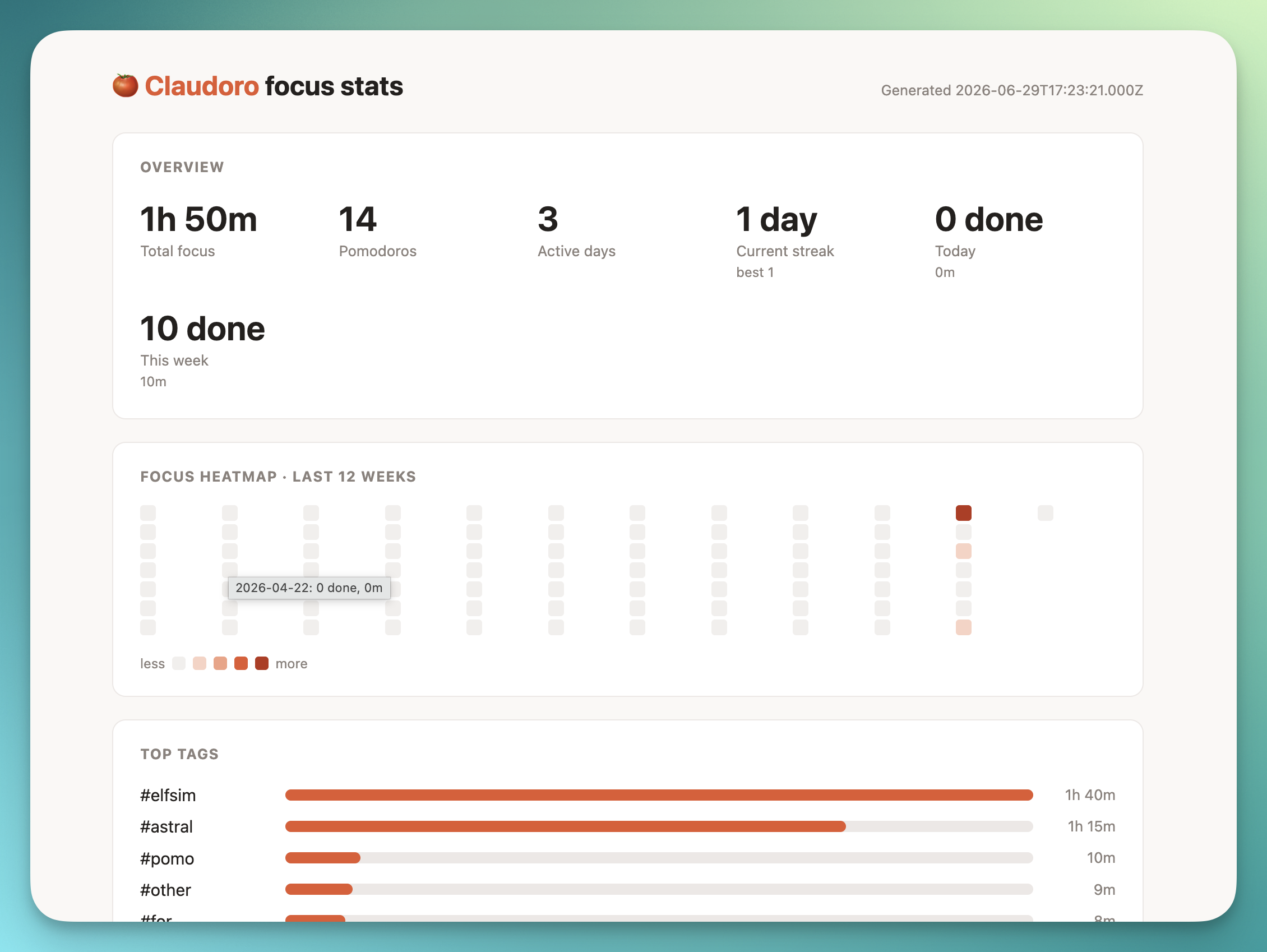
A couple of things crept in along the way that I had not planned. The first is a stats view, current streak, a focus heatmap and top tags, which also renders as a self-contained offline dashboard, your whole focus history in a single local HTML file.
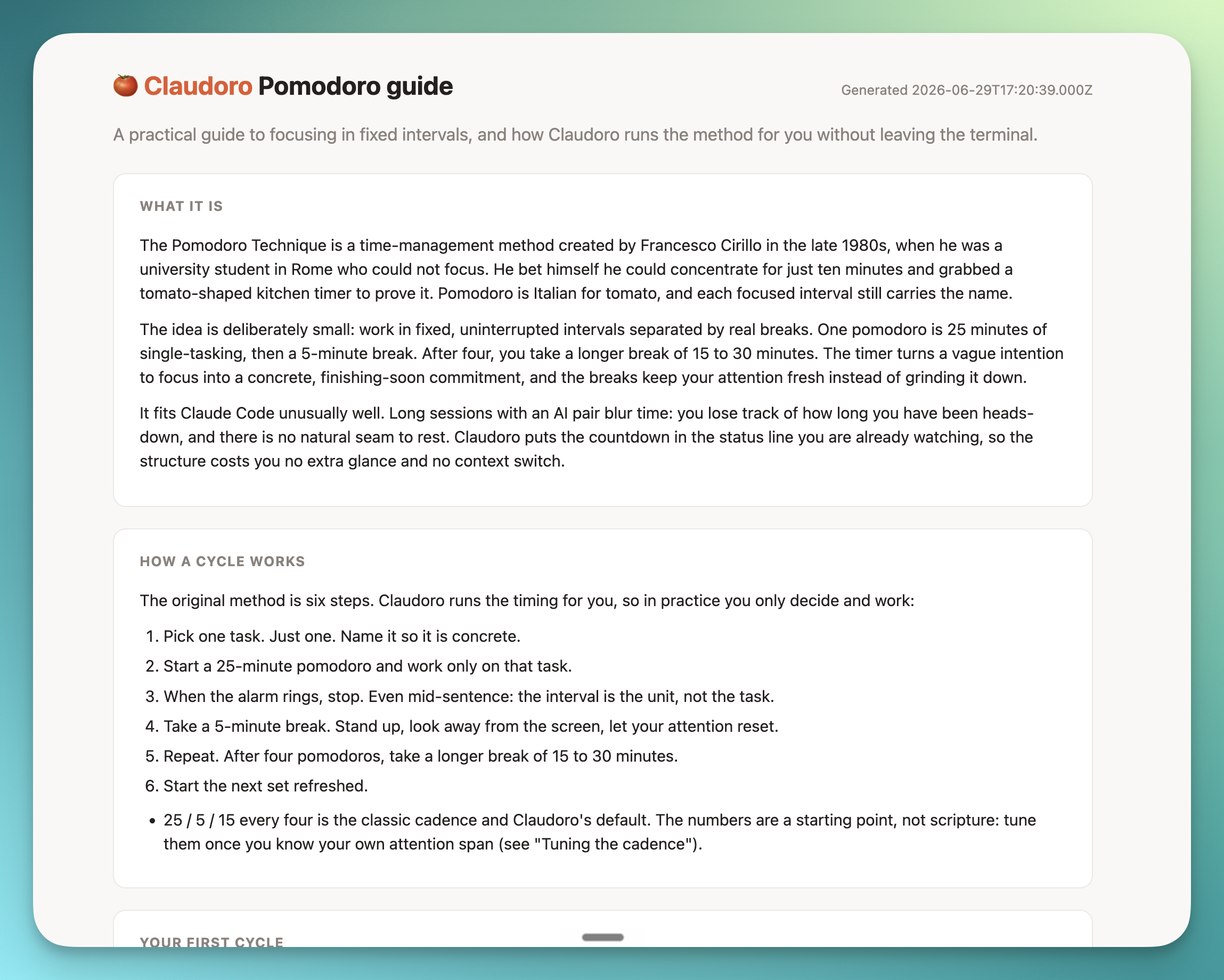
The second is a built-in guide to the Pomodoro Technique itself, for when you want to use the method well rather than just run a clock.
Try Claudoro
The under-two-minutes path:
npm install -g claudoro
pomo setup
Then open a new Claude Code session and run /pomo start. The countdown appears in your status line within about a second.
If you give it a go, I would genuinely love to hear how you get on: what felt right, what broke, what you wish it did. Open an issue, or just reply.
And if it earns a place in your day, the kindest thing you can do is give it a star on GitHub. It is the clearest signal that the idea was worth chasing.
Many thanks.
— Ben